
School Menu
Parents and carers can use the Relish School Food Parent Portal to view information about school meals, including current menus, ingredients and allergen information.
You can also use the portal to:
-
View your child's school menus day by day
-
View ingredients and full allergen information for meals
-
Download and print copies of school menus
-
View recipe details
-
Contact the school catering team
-
Receive notifications about menu changes and special theme days
How to register or sign in
-
Visit the Relish School Food Parent Portal:
https://relishschoolfood.co.uk/parents/ -
If you already have an account, enter your email address and password and select Login.
-
If you do not already have an account, scroll down to Register for a Free Parent Login Account.
-
Complete the registration form with your details.
-
When asked for your child's school, begin typing the school name and select it when it appears.
-
Complete the remaining information and select Register.
Once registered, you can return to the Parent Portal at any time to view the latest school meal information.
If you have forgotten your password, select Forgot Password on the login page and enter your registered email address to receive a reset link.
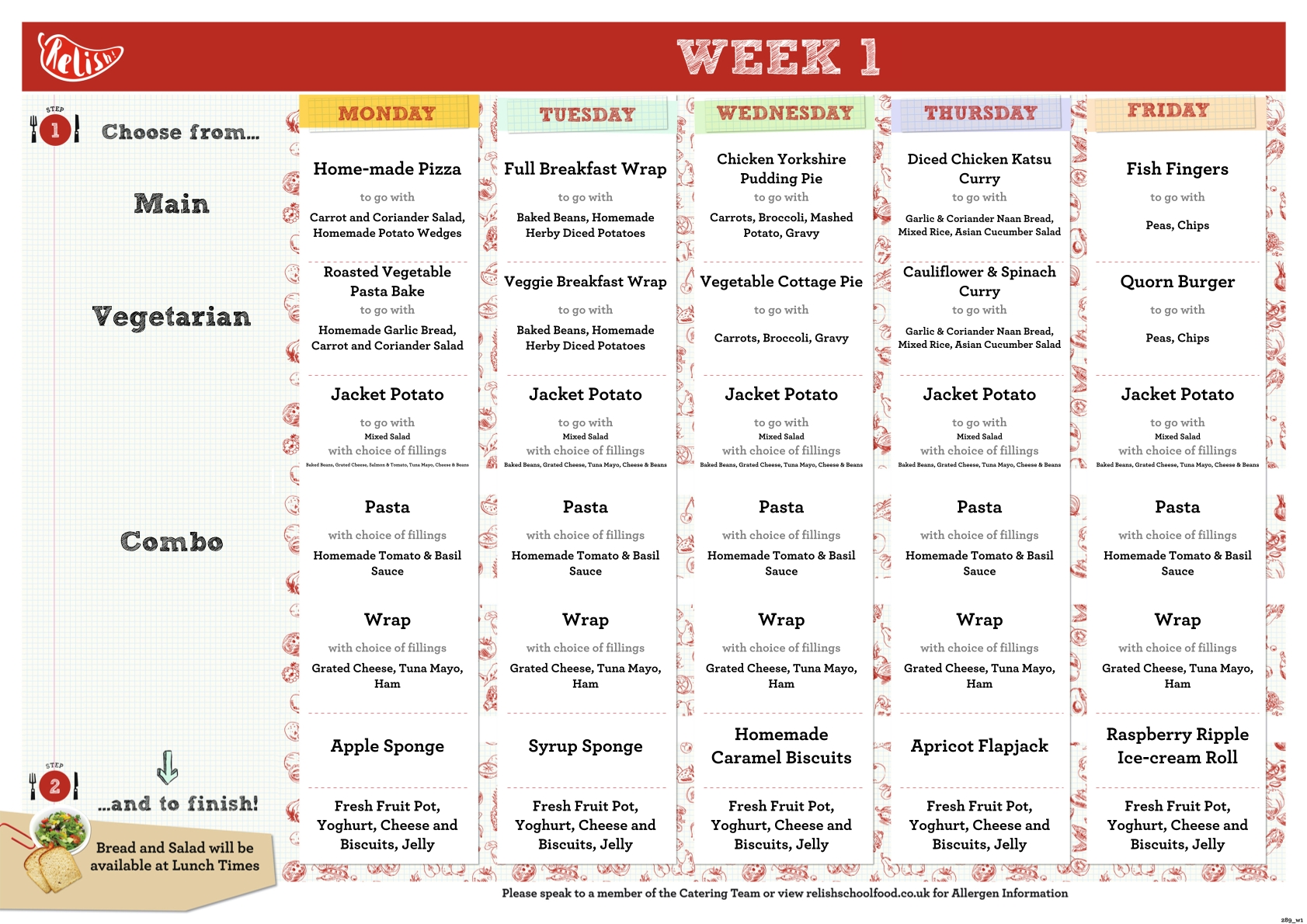
WEEK 1
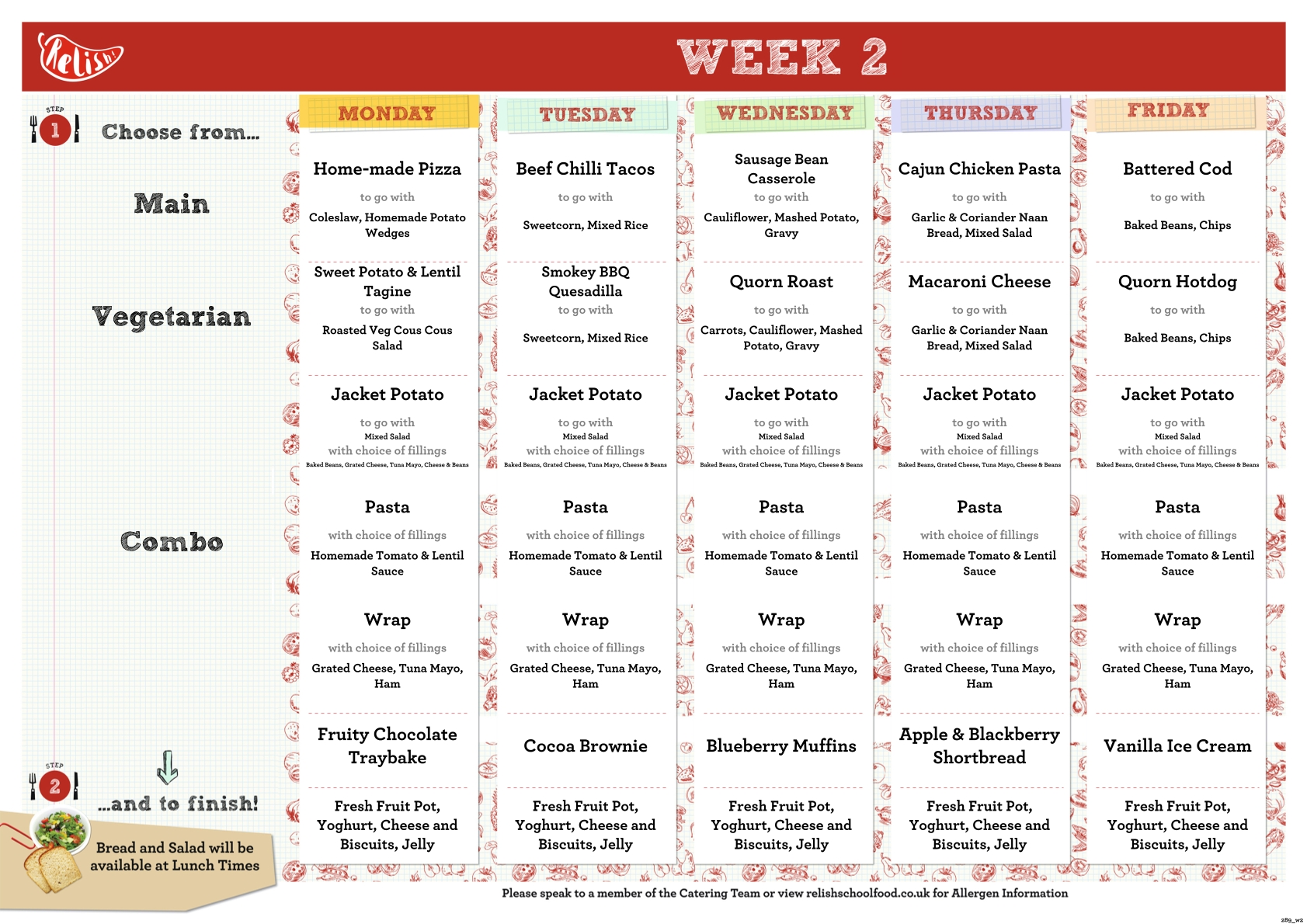
WEEK 2
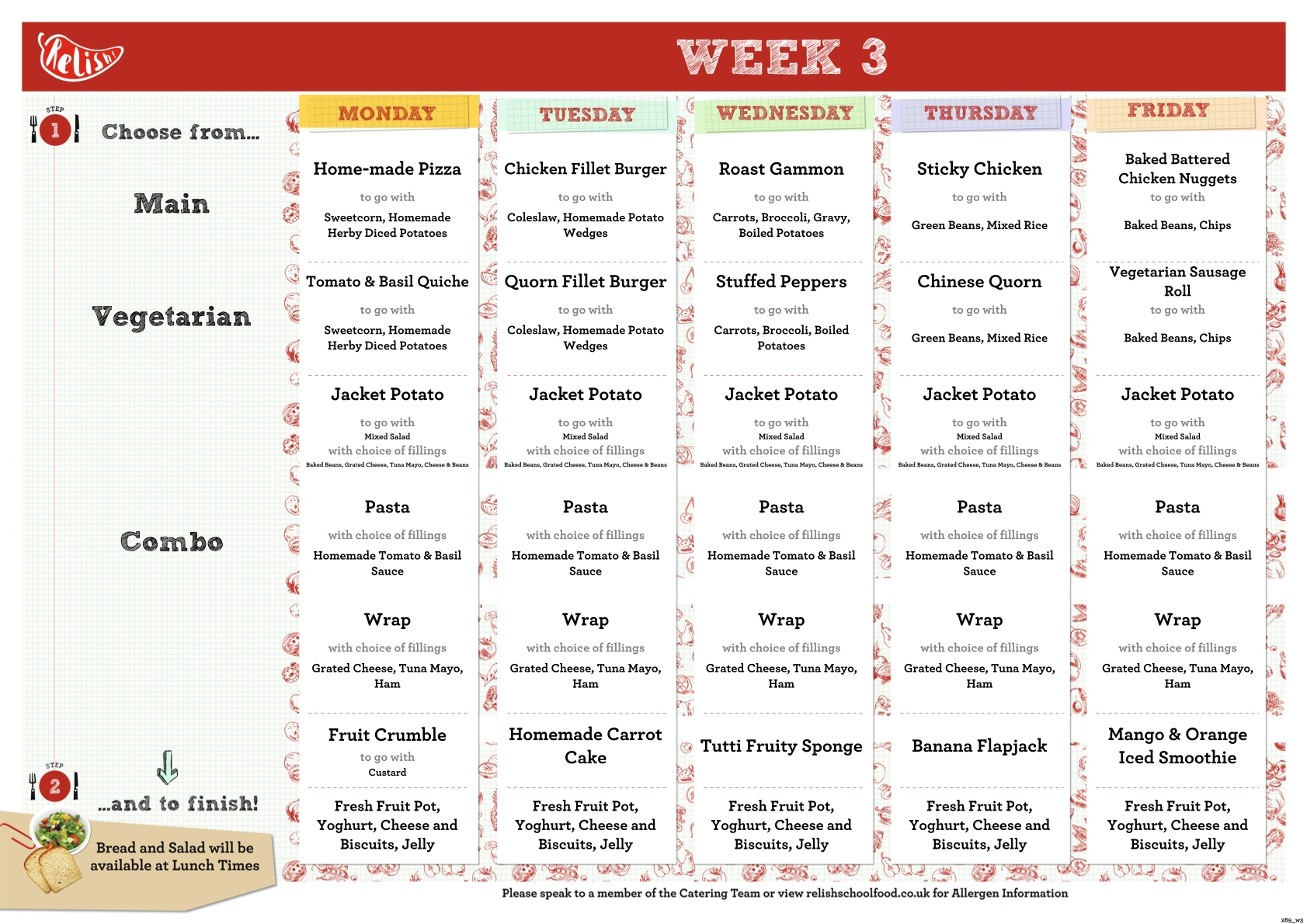
WEEK 3